
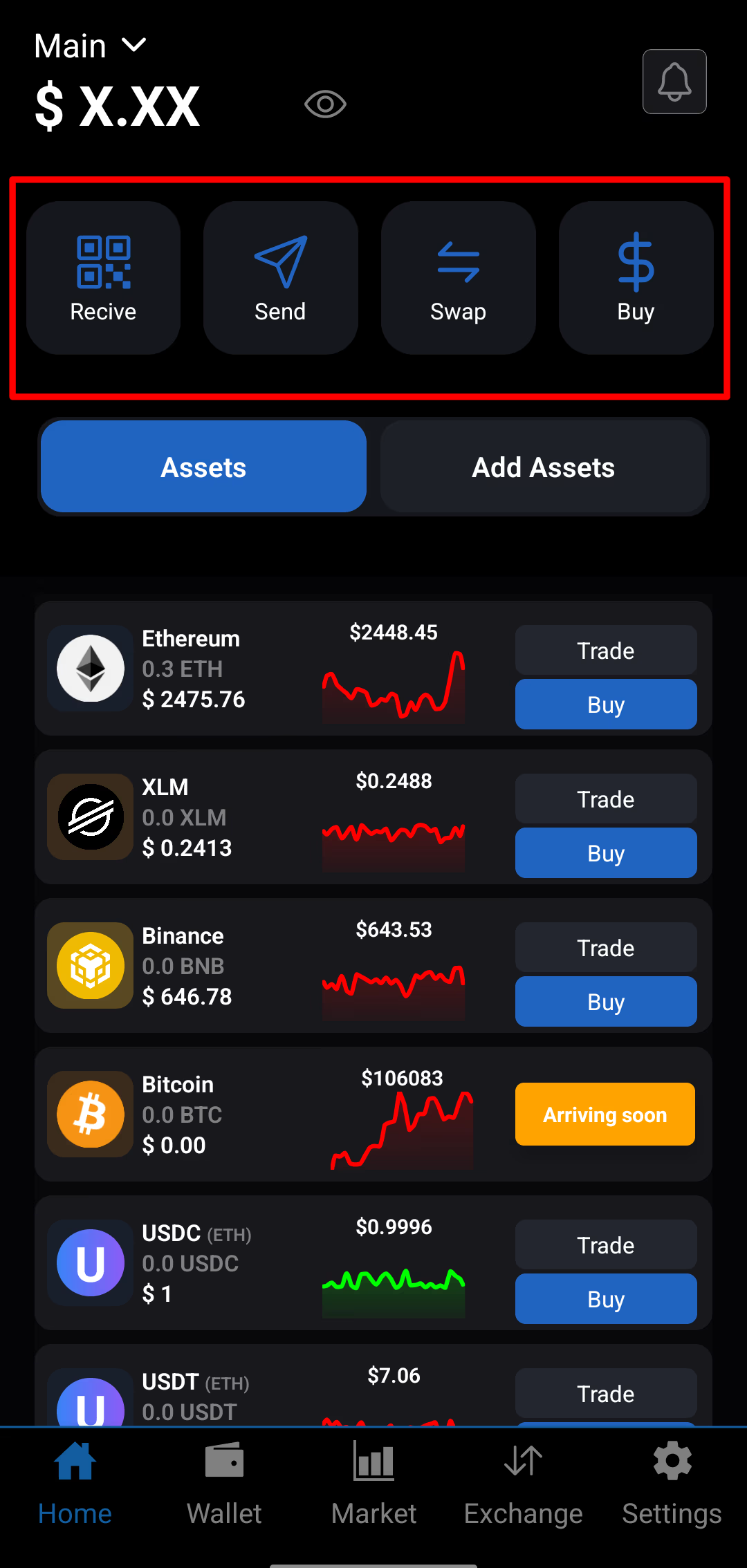
Click to expand
SwiftEx makes it easy to Swap one digital asset into another directly within the app. The Swap feature is built for users who want a fast, secure, and simple way to exchange assets without complex interfaces.
How Swaps Work in SwiftEx
SwiftEx uses smart routing and integrated decentralized liquidity protocols to find the most efficient conversion path. When you initiate a swap, the system evaluates available routes — including direct and multi-hop paths — to deliver the best available rate with minimal slippage.
Important Things to Know
- Slippage Protection: If market rates change beyond your allowed tolerance, the swap is automatically cancelled to protect your funds.
- Liquidity Considerations: Low-liquidity assets may result in higher price impact or failed swaps.
- Network Requirements: Some networks (such as Stellar) require a minimum balance to hold new assets (for example, ~0.5–1 XLM for a new trustline).
- Network Fees: Fees are included directly in the quoted swap rate and vary by network and asset.
How to Swap Assets
-
Open Swap
Open the SwiftEx app and tap the Swap option on the home screen.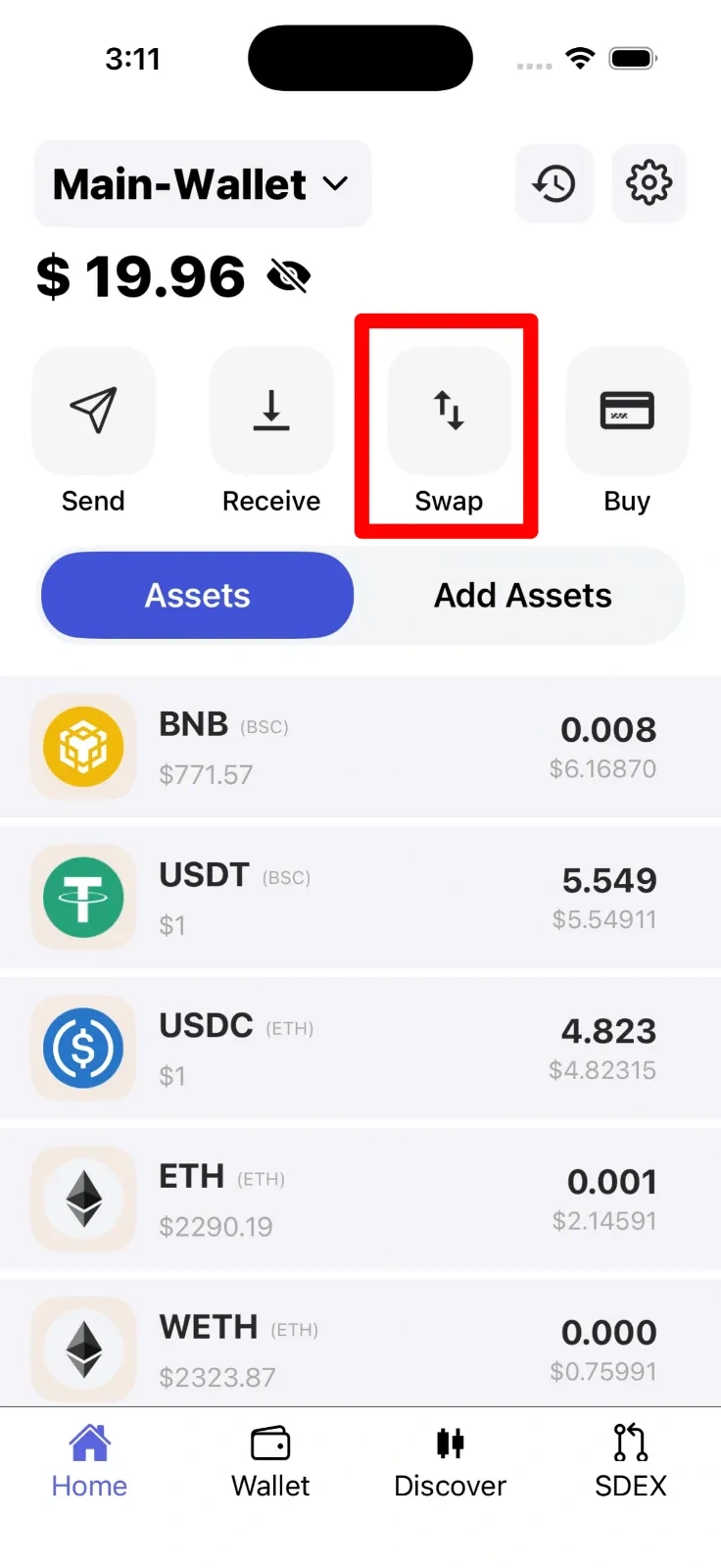
-
Select Network & Assets
First choose the network, then select the asset you want to swap and the asset you’ll receive. Enter the amount to see the estimated output in SwiftEx.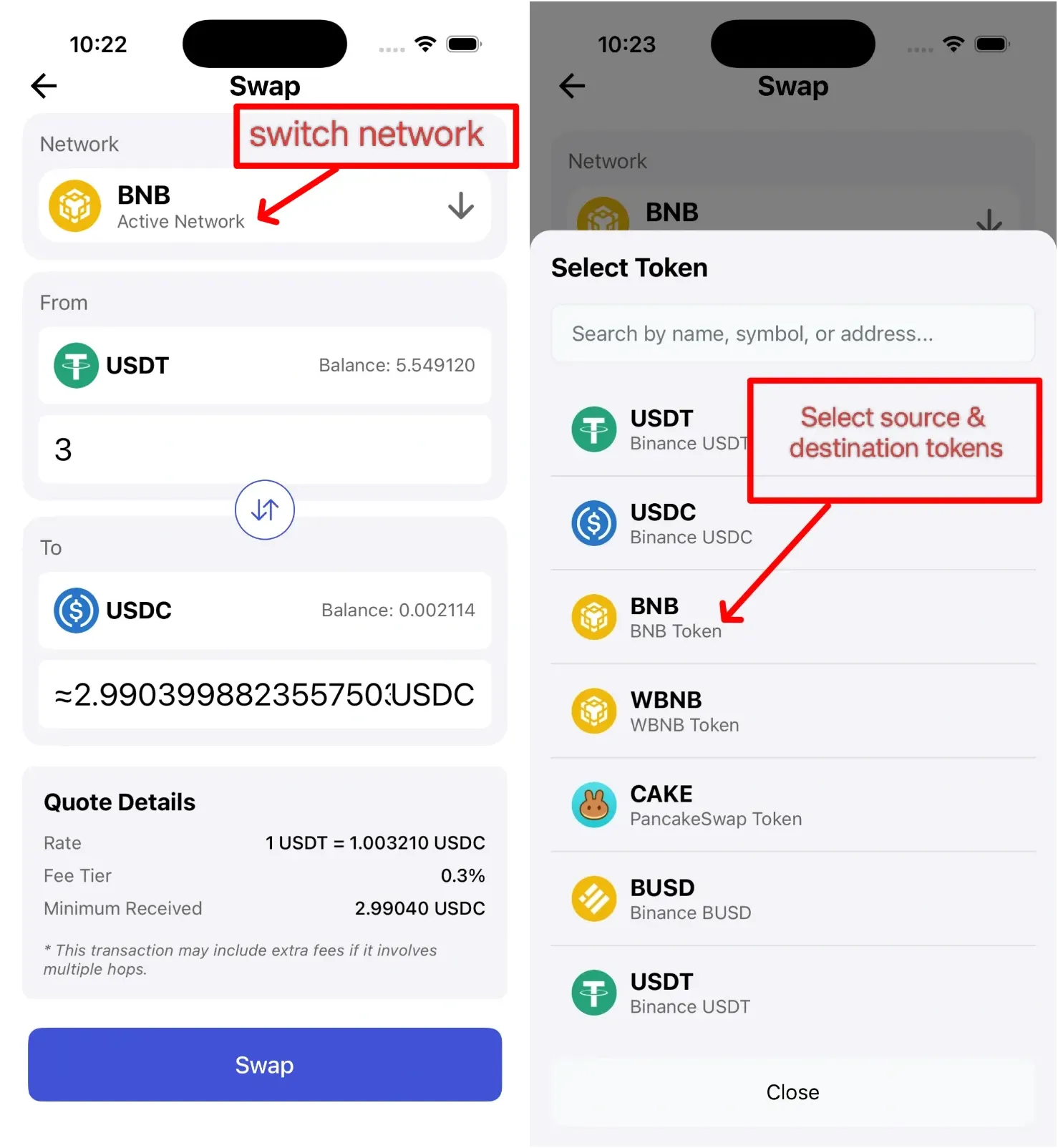
-
Review & Confirm
Review the conversion rate, estimated fees, and final amount. Confirm to proceed with the swap.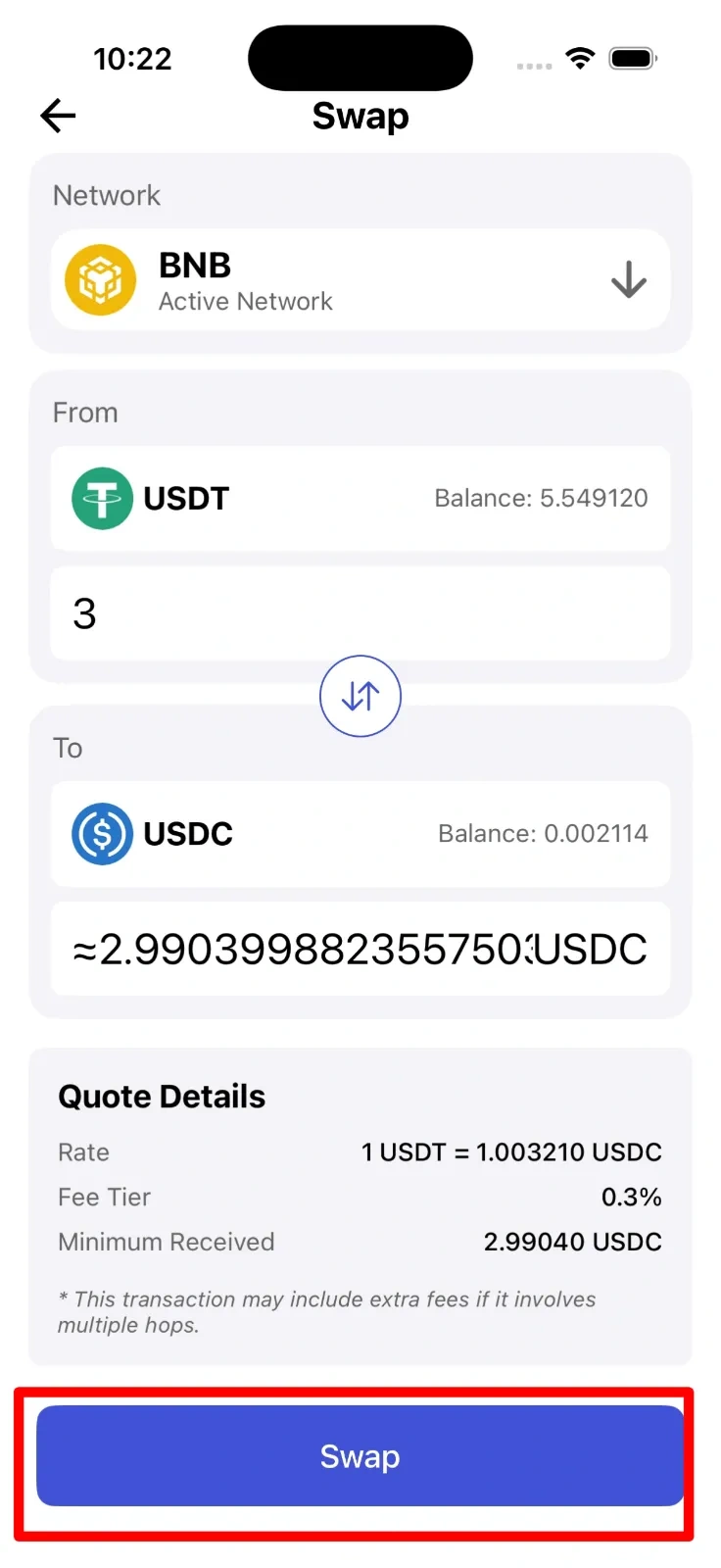
Swap Fees
SwiftEx applies a transparent fee model that is included in the displayed rate:
| Asset Category | Fee |
|---|---|
| Scam-reported assets | Up to 15% |
| Low-verification assets | 1% |
| Standard assets | 0.75% |
| Curated assets | 0.3% |
| Featured assets (USDC, XLM, ETH) | 0.2% |
No additional fees are charged beyond what is shown in the quote.