
SwiftEx allows you to add custom tokens that are not listed by default. This helps you view and manage additional assets across supported blockchain networks.
What Are Custom Tokens?
Custom tokens are digital assets added manually using a verified contract address. These tokens are displayed within your internal wallet for tracking and transfers.
Supported Networks
Ethereum and BNB Smart Chain
How to Add a Custom Token
-
Switch tab Asset to Add Assets
Open the SwiftEx app from your home screen. Once inside, locate and tap on the Assets tab. From there, you'll see an option to Add Assets - tap on it to proceed to the token addition screen. -
Select Network
You'll be presented with a list of supported blockchain networks. Choose the specific blockchain network where your custom token exists - either Ethereum or BNB Smart Chain. Make sure you select the correct network as tokens exist on specific chains and cannot be found on others.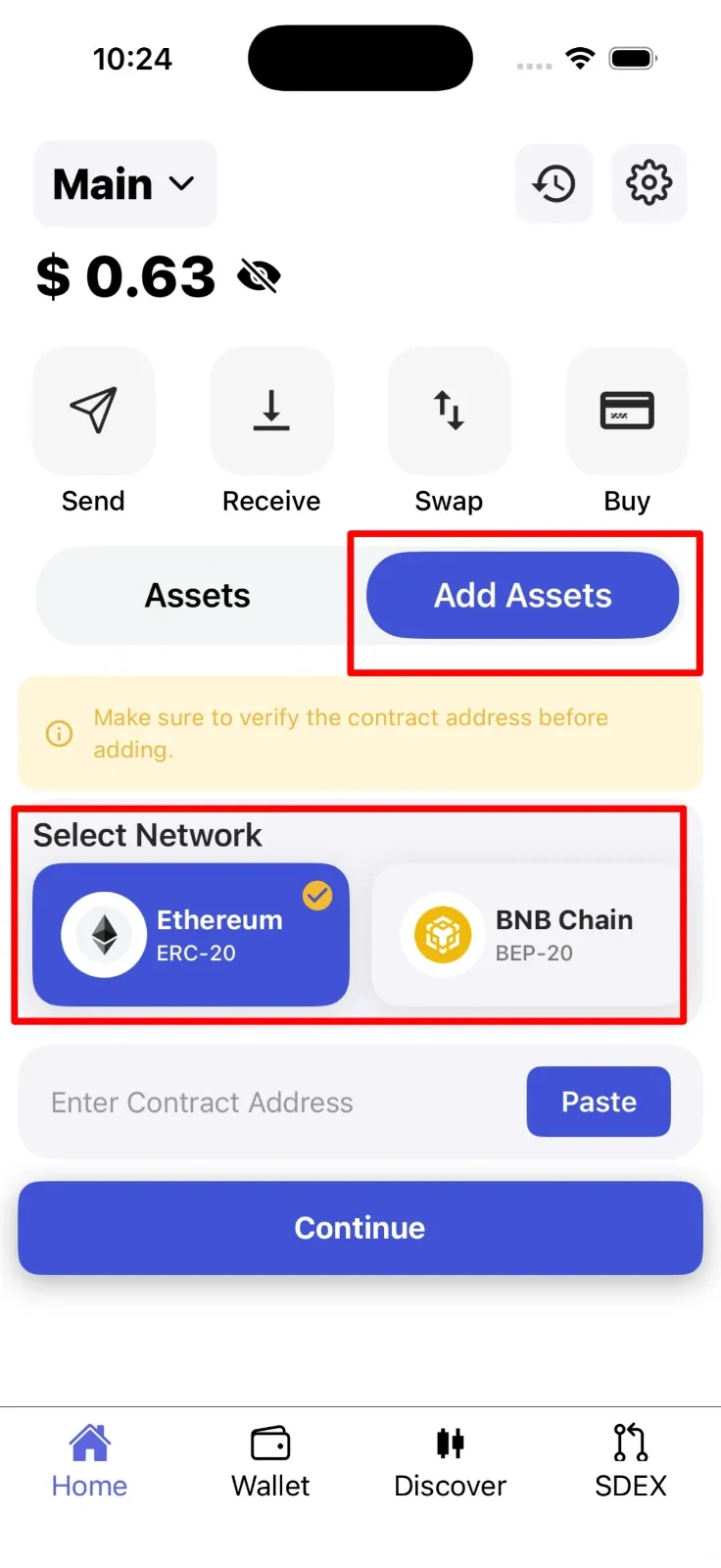
-
Enter Contract Address
In the provided input field, carefully paste the contract address of your custom token. This is a unique identifier (usually starting with "0x") that represents the token on the blockchain. You can copy this address from the token's official website, CoinGecko, CoinMarketCap, or your trusted source. Double-check the address to ensure accuracy.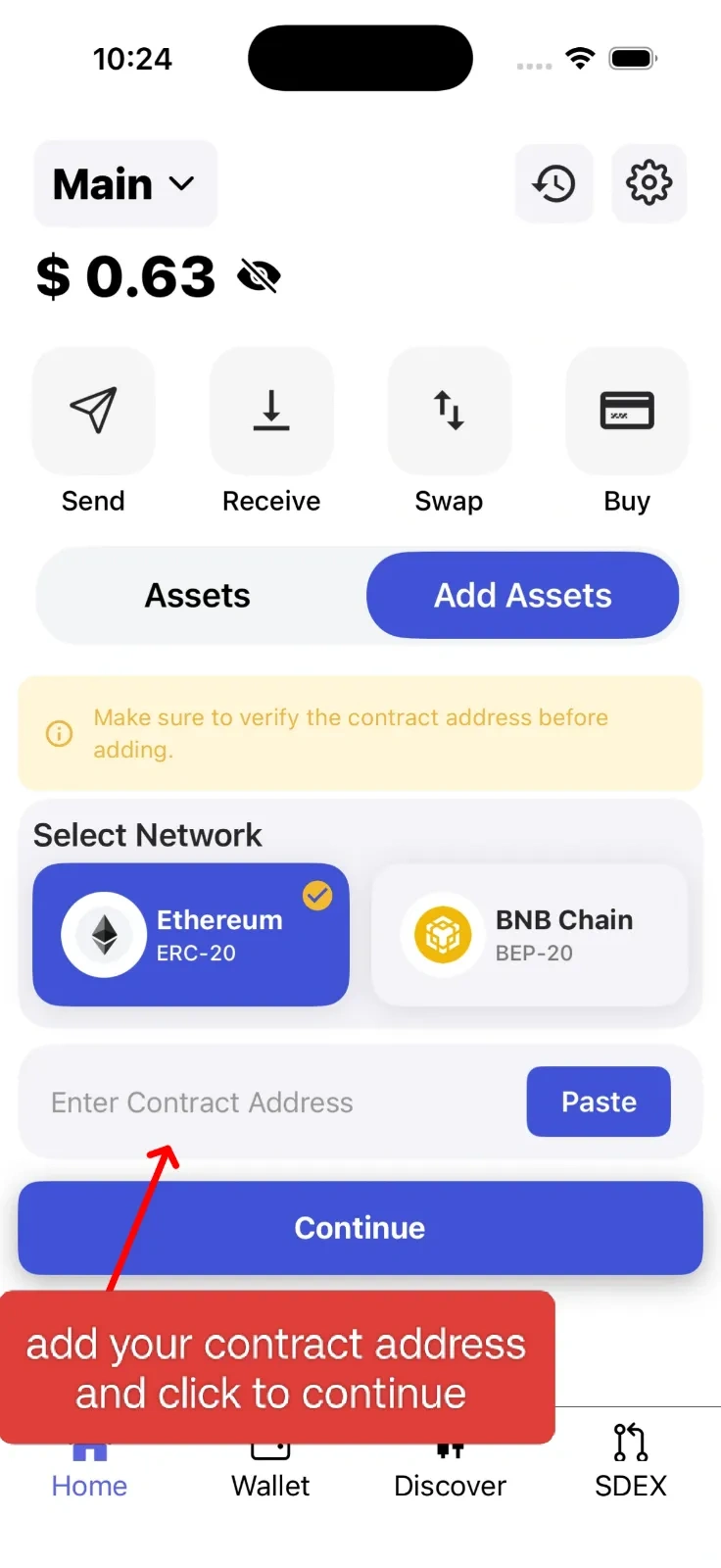
-
Confirm & Add
Once you enter the contract address, SwiftEx will automatically fetch and display the token details including its name, symbol, and decimal places. Review these details carefully to ensure they match the token you want to add. If everything looks correct, tap the Add or Confirm button to complete the process. -
View Asset
Your newly added custom token will now appear in your asset list on the main Assets screen. You can view its balance, current value, and perform actions like sending or receiving this token. The token will remain visible in your wallet until you choose to remove it.
Security Tip
Always verify contract addresses from official sources before adding a custom token. Never add tokens from untrusted sources or suspicious messages, as scammers often create fake tokens with similar names to legitimate ones.