
Click to expand
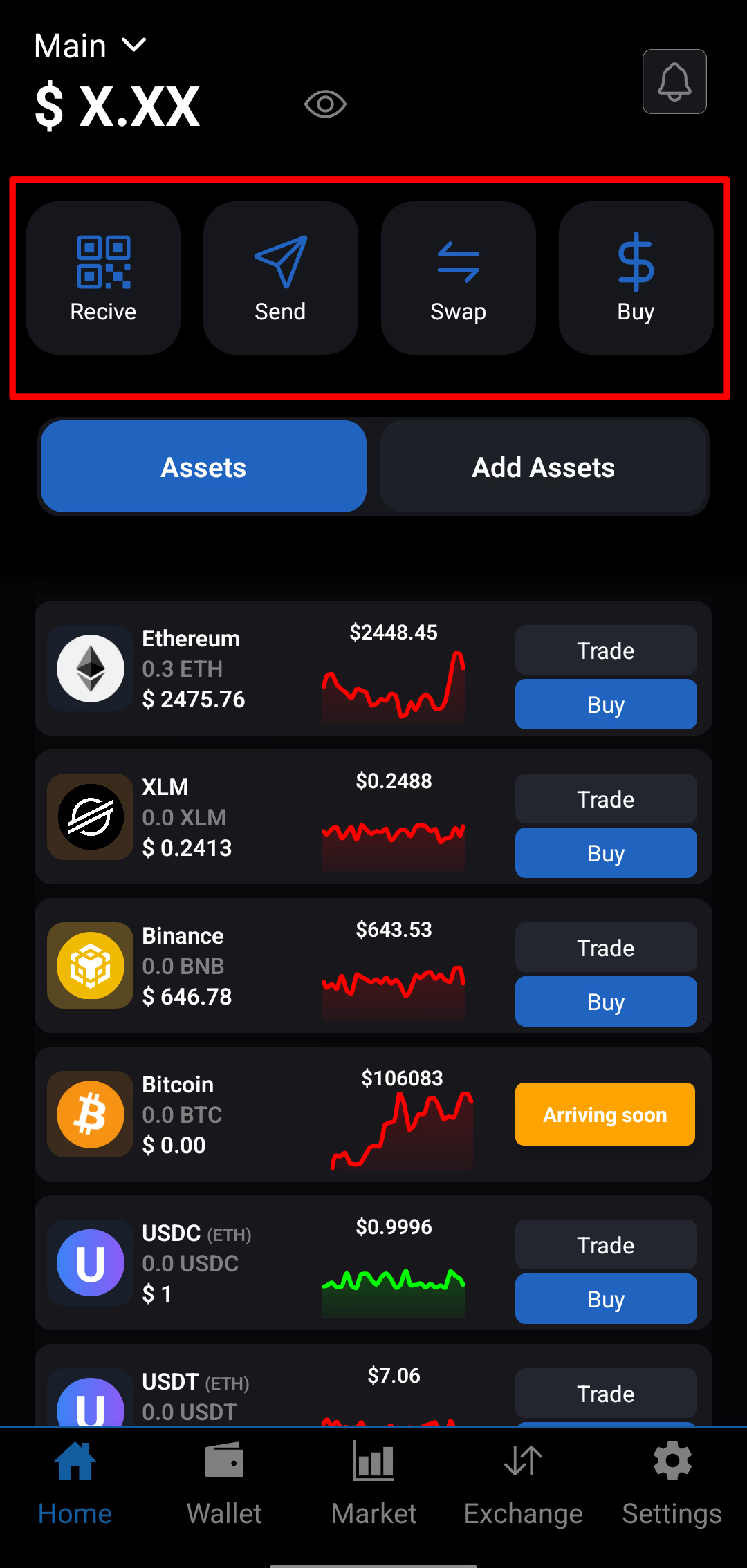
The SwiftEx home screen is designed to offer streamlined access to the app’s most essential features, all from a single, convenient location. This allows you to manage your digital assets efficiently whether you're a beginner or an experienced user.
What You Can Access from the Home Screen
At the top of the screen, you'll find quick links to the following actions:
-
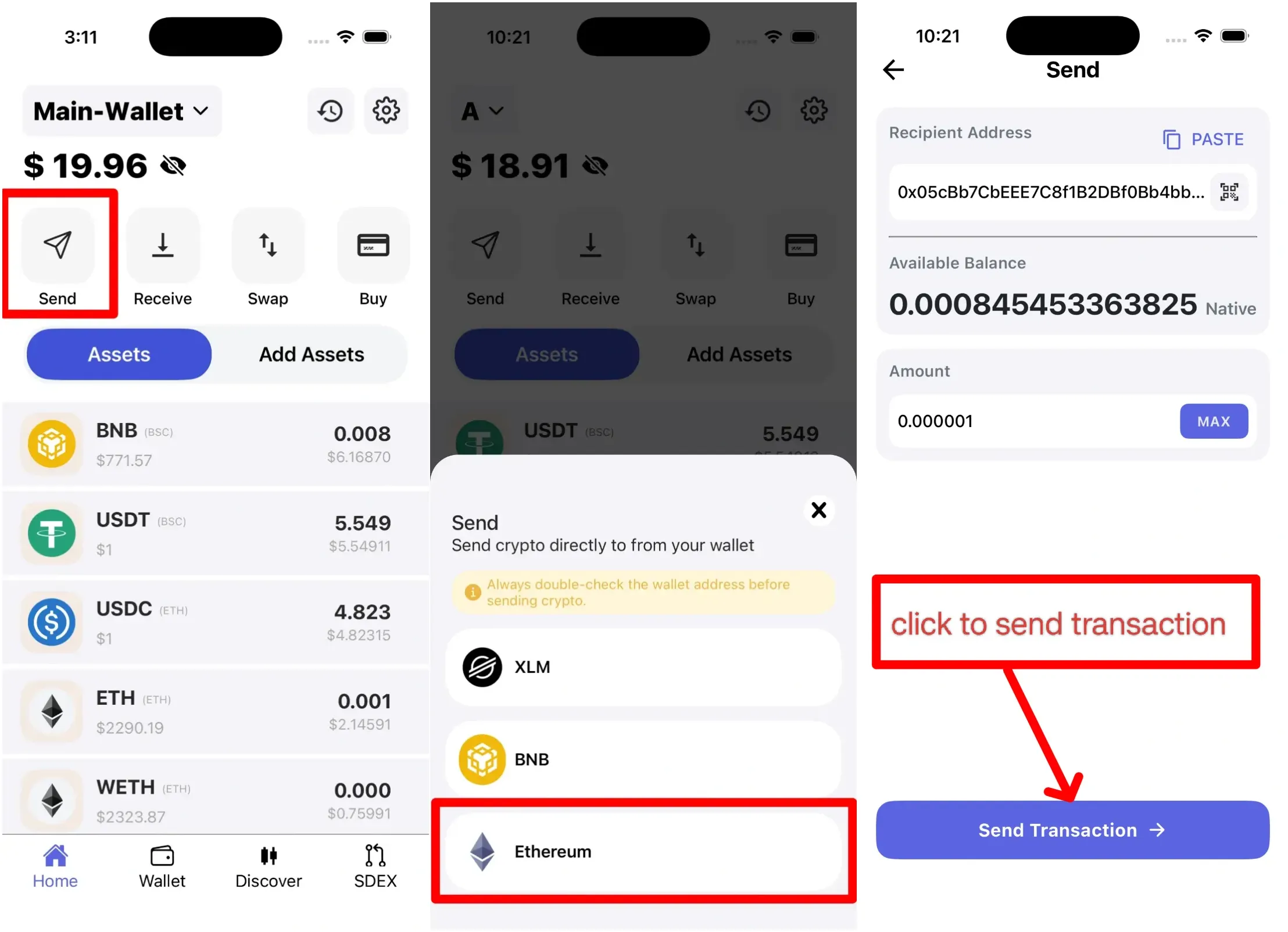
Send: Transfer tokens securely to any other wallet address.
-
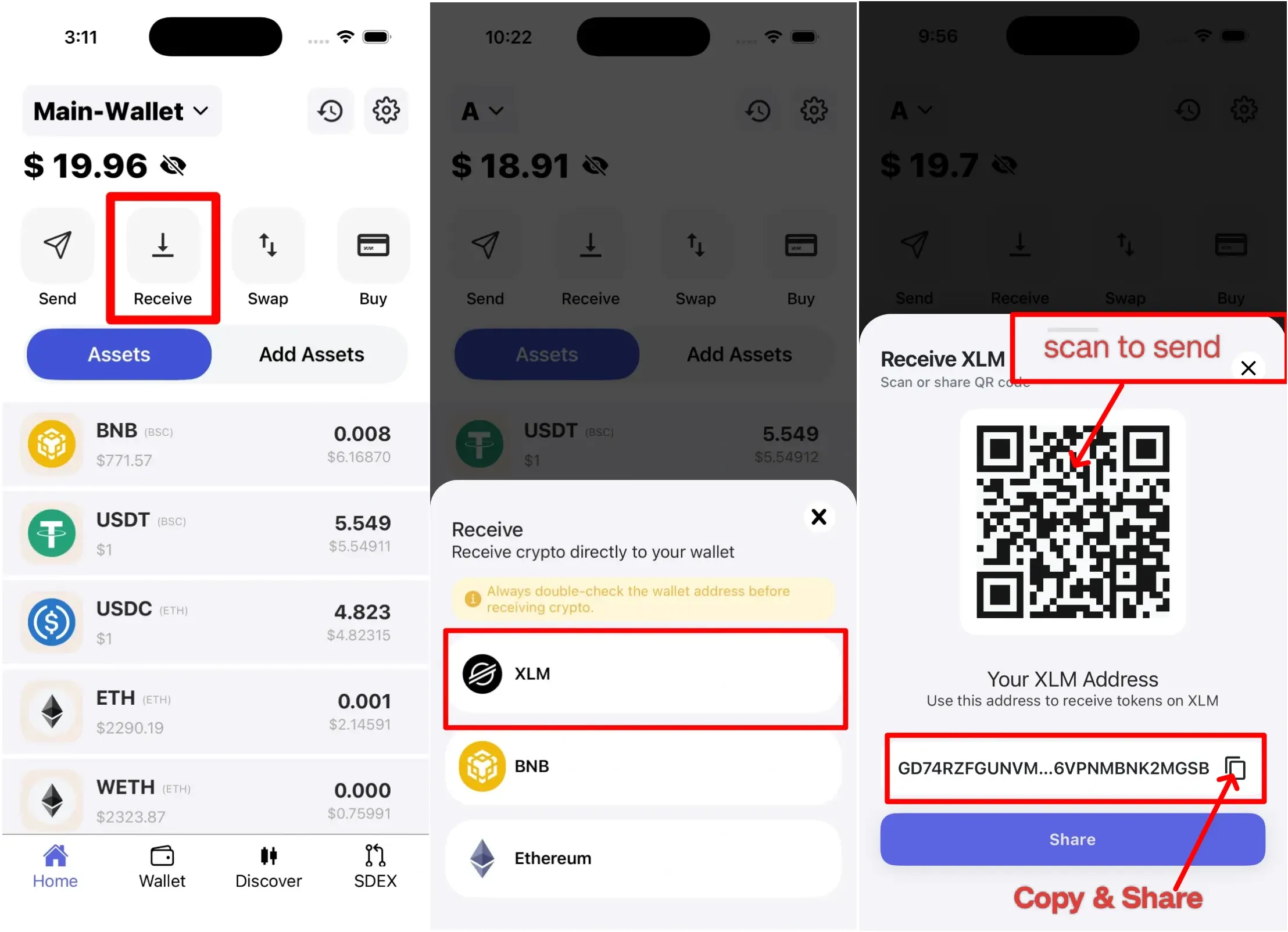
Receive: Accept cryptocurrencies into your wallet using your public address or QR code.
-
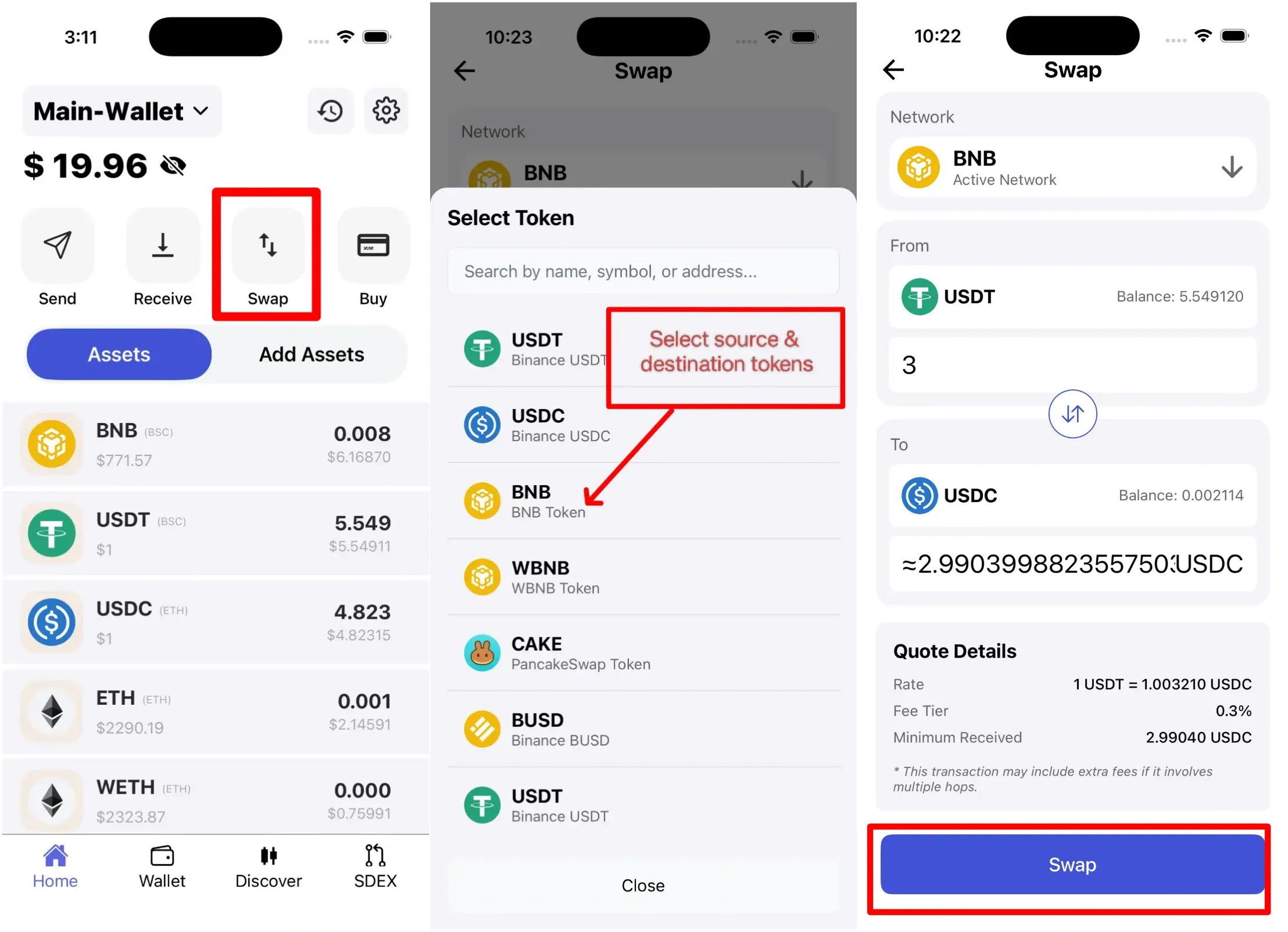
Swap: Instantly exchange one cryptocurrency for another using supported liquidity routes.
-
Buy: Purchase crypto using fiat through licensed and trusted third-party providers, supporting options such as card payments and bank transfers.
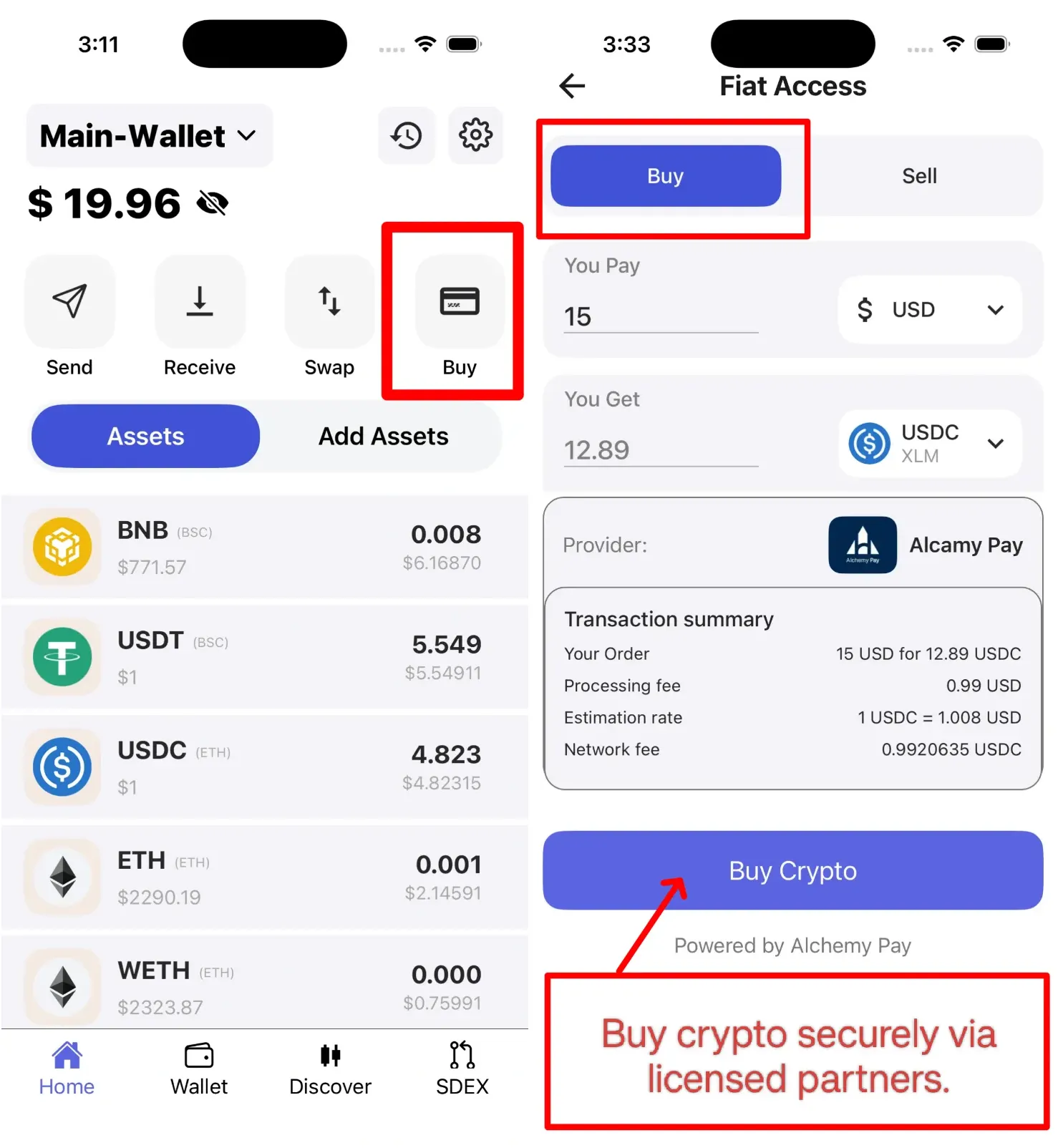
Each of these options is clearly displayed for easy navigation, ensuring that even complex asset operations feel intuitive. Whether you’re transferring funds, performing a swap, or purchasing crypto via a trusted partner, everything starts from the home screen.