
SwiftEx enables users to acquire cryptocurrencies using fiat currency through its Fiat Access feature. This guide walks you through the process, ensuring a seamless and secure experience.
Prerequisites
For transactions above a certain amount (e.g., $50, varies by region; check your selected payment provider's documentation), KYC verification is required.
How to Acquire Crypto with Fiat
-
Access the Fiat Access Section
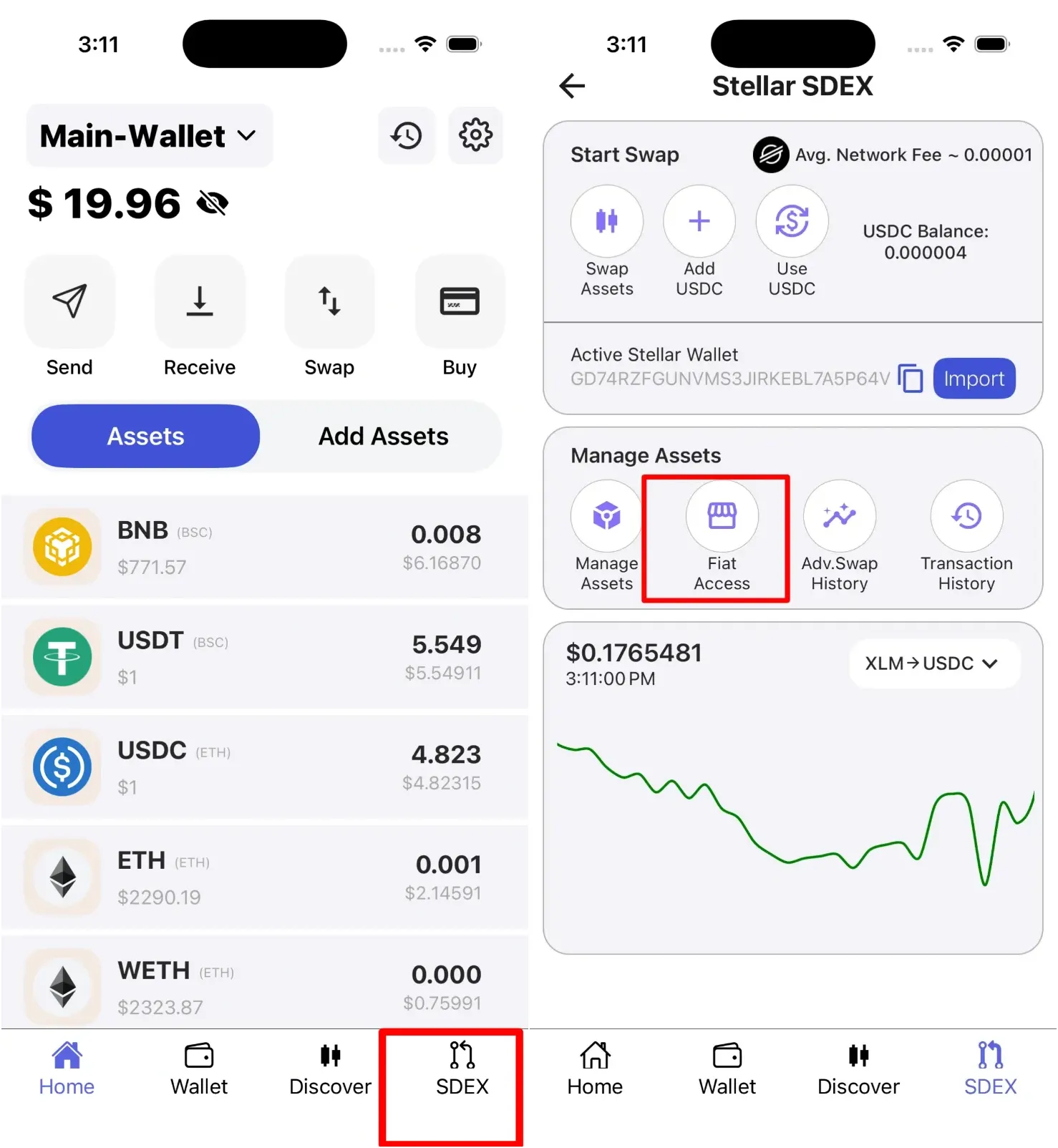
Open the SwiftEx App from your home screen. Locate and tap on the SDEX option to access Stellar-based features. Within the SDEX section, you'll find the Fiat Access option - tap on it to proceed to the fiat conversion interface.
-
Choose a Payment Provider
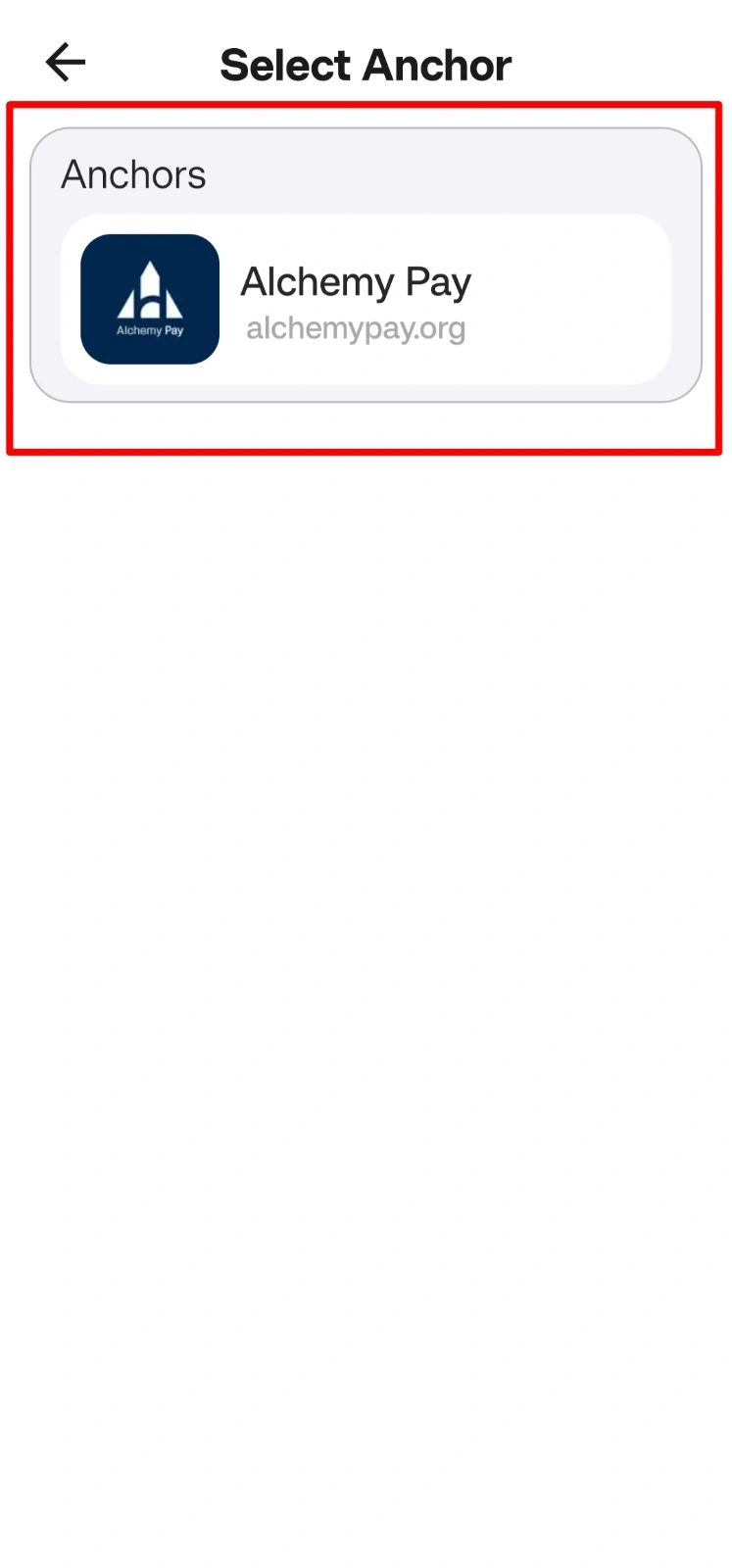
You'll be presented with a list of trusted payment providers that facilitate fiat-to-crypto conversions. Select your preferred provider (e.g., Alchemy Pay or other available options) to handle the transaction securely. Each provider may have different supported regions, payment methods, and fee structures, so choose the one that best suits your needs.
-
Select Currencies and Payment Method
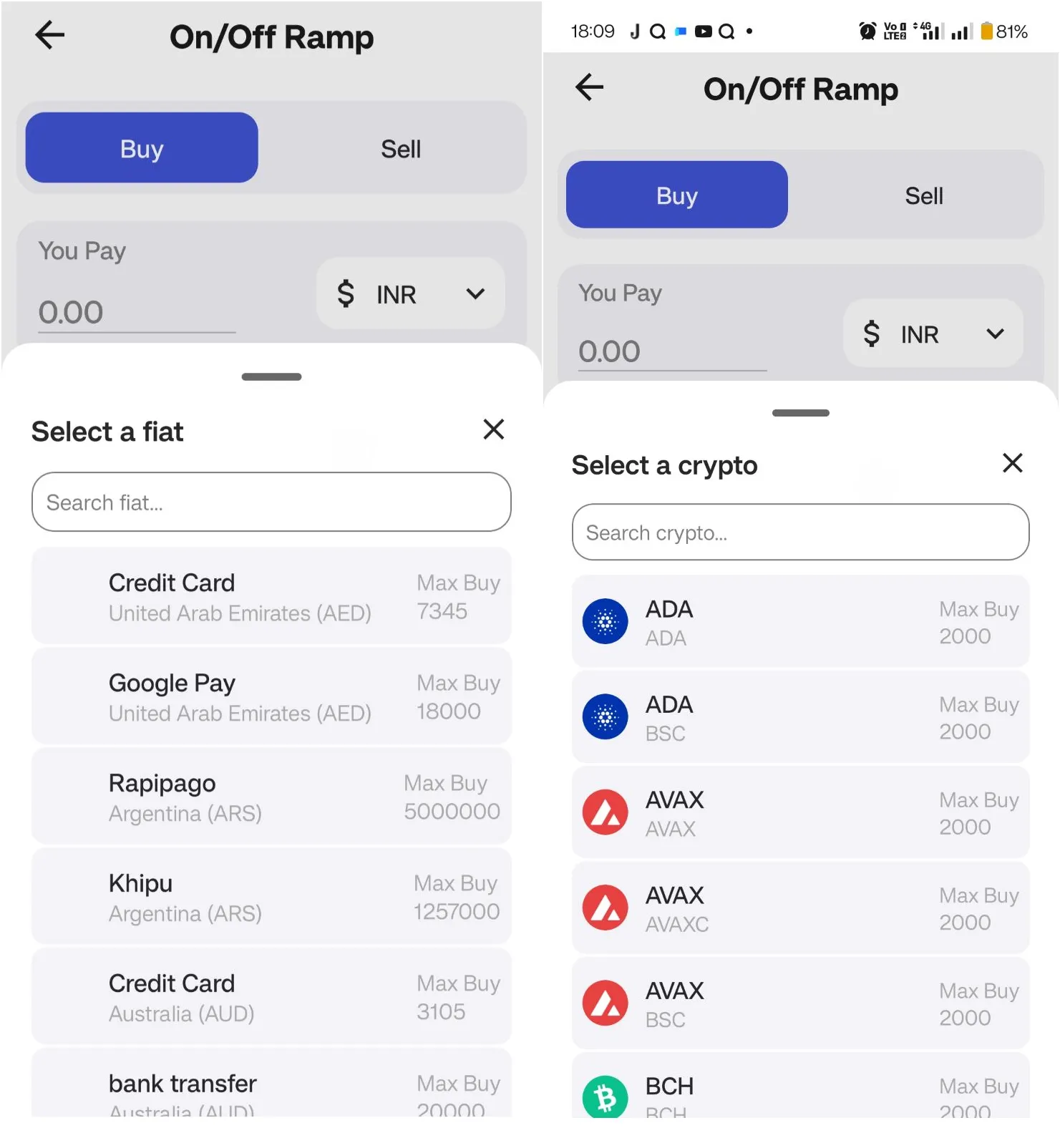
- The Buy tab is selected by default on the fiat screen.
- Choose your fiat currency from the dropdown menu (e.g., USD, INR, EUR, or other region-specific fiat currencies supported by your selected provider).
- Select the cryptocurrency you want to acquire (e.g., Bitcoin, Ethereum, USDC, or other supported digital assets).
- Pick a payment method based on your region and availability. Options may include Credit/Debit Card, Bank Transfer, UPI, or other local payment methods. Check with your selected provider for the complete list of available payment options in your area.
-
Enter Transaction Details
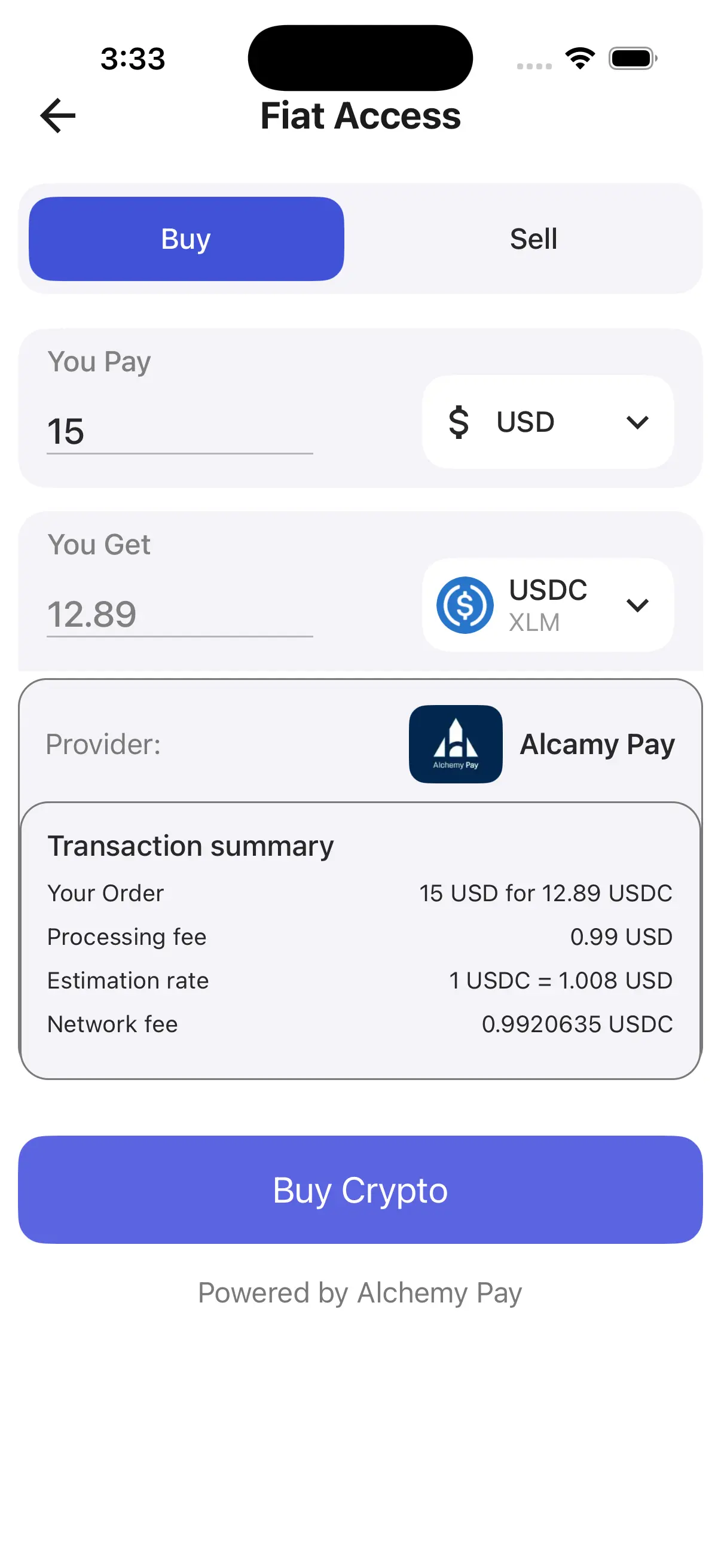
Input the fiat amount you want to spend in the designated field. The system will automatically calculate and display the equivalent cryptocurrency amount you'll receive based on real-time conversion rates. Carefully review the transaction summary which includes the current conversion rate, any applicable processing fees, and the estimated delivery time for your crypto to arrive in your wallet. Make sure all details are accurate before proceeding.
-
Complete Your Purchase
Once you've reviewed all details, tap the Buy Now button. If your transaction amount exceeds the no-KYC limit set by the provider (e.g., $50, varies by region and provider), you'll be prompted to complete KYC verification (refer to the KYC Verification section for detailed steps). After KYC (if required), enter your payment details as requested by the provider. Review the final transaction summary one more time, then tap Confirm to execute the purchase. Your cryptocurrency will be credited to your SwiftEx wallet once the transaction is processed successfully.
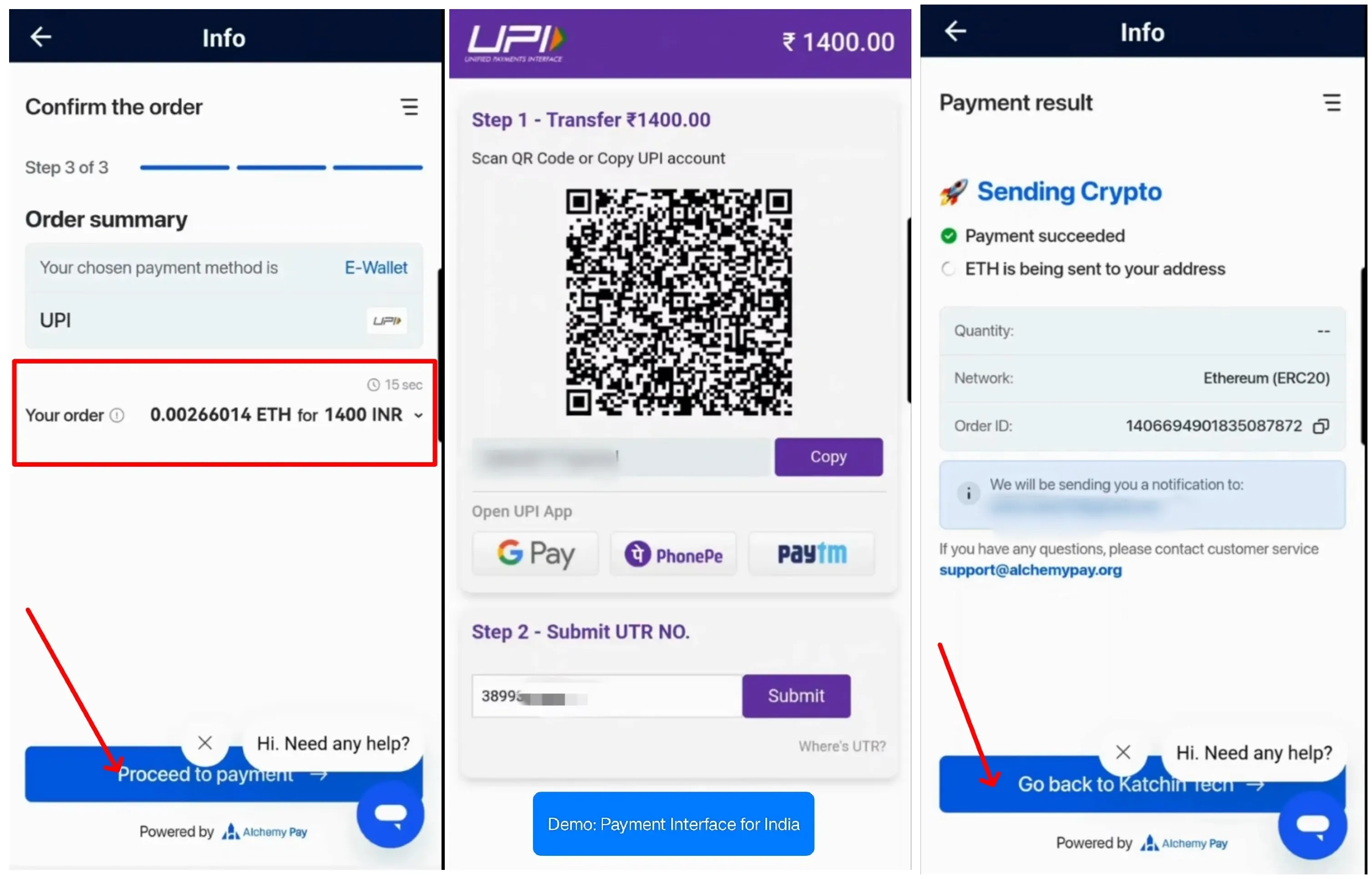
Post-Purchase
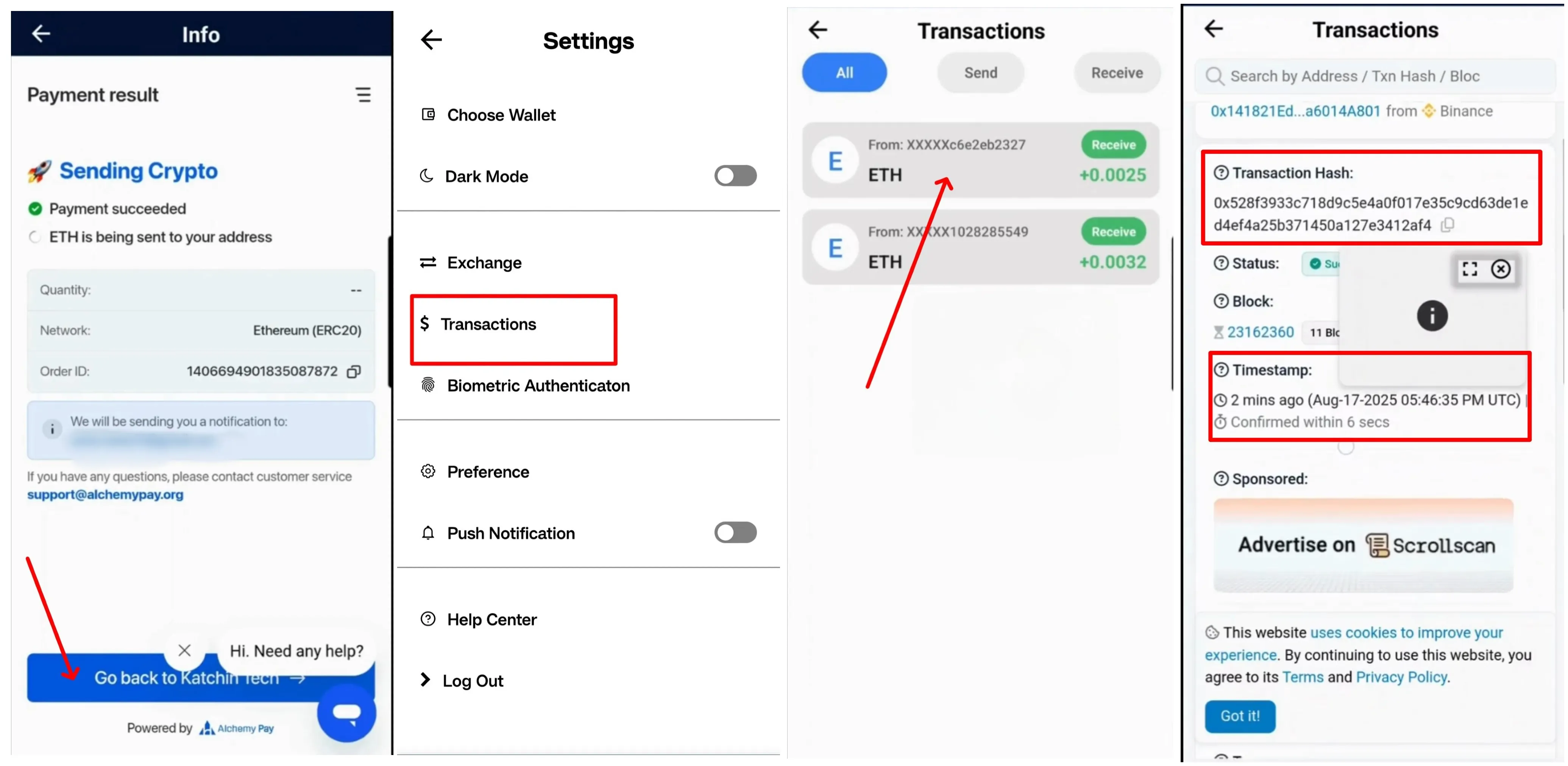
After a successful transaction, you can view basic transaction details by tapping the Transaction History icon located in the top right corner of your home screen. For comprehensive blockchain details, you can view your transaction on block explorers like Etherscan, BscScan, or Stellar.org.
Security Note
All transactions are processed securely by trusted payment providers. Your payment information and personal data are encrypted and handled in compliance with global data protection standards including GDPR and CCPA. SwiftEx does not directly store your payment card details or sensitive personal information.